
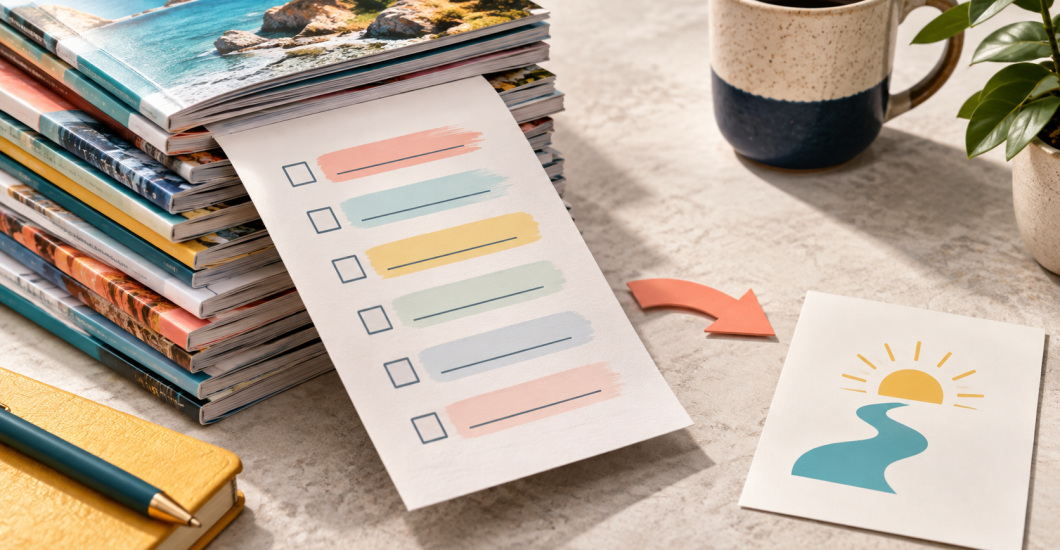
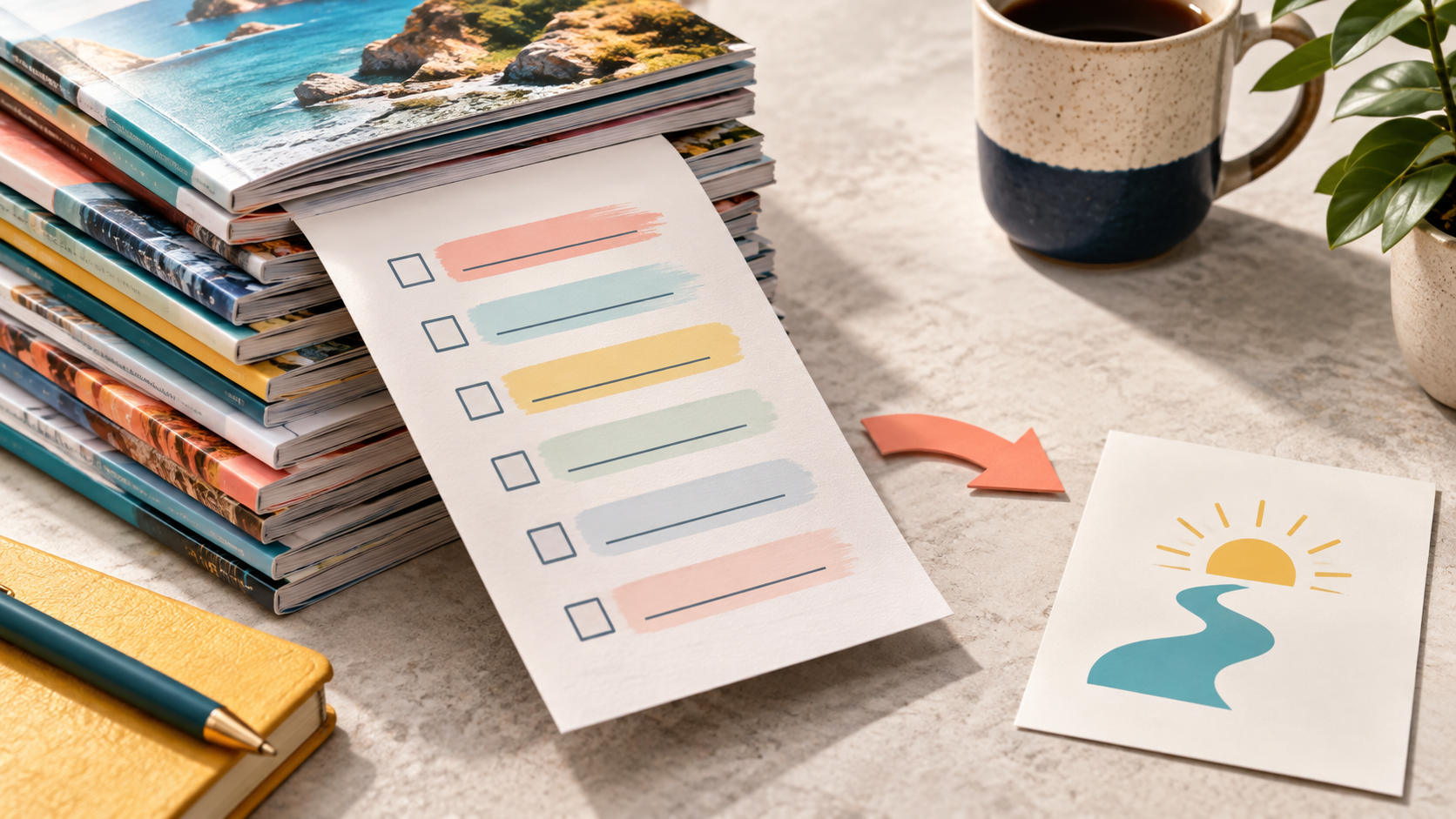
One of my best lead magnets was hideous.
It was a one-page decluttering checklist. I divided the list into things to throw away, donate, and recycle in a special way. It did incredibly well on Pinterest for years.
So I made it better.
I created a larger, prettier booklet about decluttering. It took more work. It looked much nicer. And it did not do nearly as well.
The people who needed help decluttering were already overwhelmed. They wanted one page that told them what to do. I gave them 15 more pages to process.
That little failure explains lead magnets better than most marketing definitions.
A lead magnet is a free resource someone receives in exchange for contact information, usually an email address. The best lead magnet solves one specific problem quickly and gives the person a useful next step.
It does not need to be large.
It needs to be useful.
A Lead Magnet Is an Incentive
I do not call people “freebie collectors.”
If I offer a broad free resource and attract a broad audience, the system worked exactly as I designed it. I incentivized an action, and people took it.
My job is to choose the action and audience more carefully.
| Broad giveaway | Buyer-aligned lead magnet |
| Solves a problem many people have | Solves a problem your ideal customer has |
| Attracts the largest possible audience | Attracts people likely to need your next solution |
| Ends when the file is delivered | Creates a logical next step |
| Measures success mainly by downloads | Measures delivery, use, replies, clicks, and later purchases |
| May be useful but unrelated to the paid offer | Feels like the first small step toward the paid offer |
Neither column describes a good or bad person.
It describes a marketing choice.
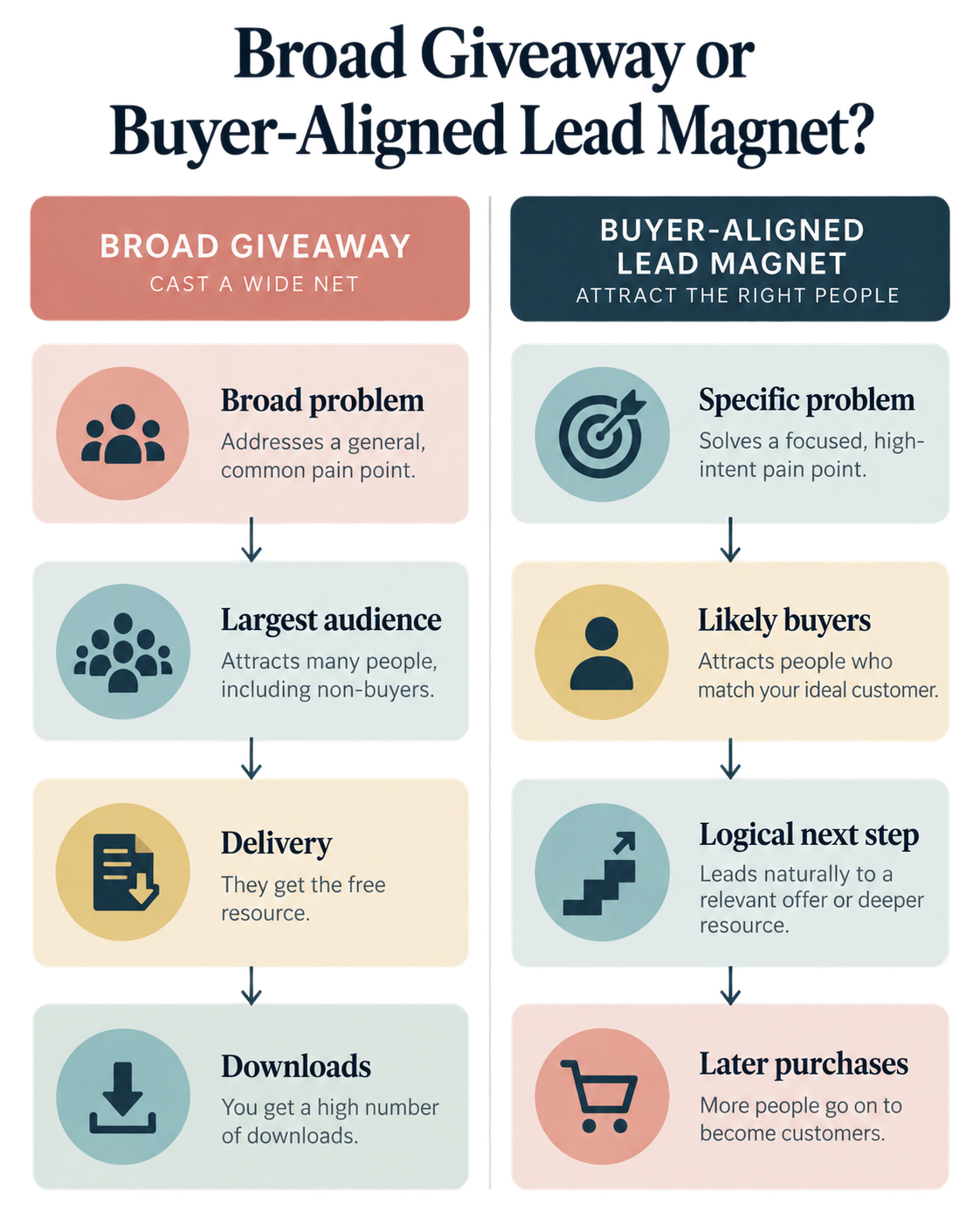
A broad printable can be perfect when your goal is traffic, awareness, or a large general-interest list. A more specific resource makes sense when you want subscribers who are likely to need a certain product or service.
Start by knowing which result you want.
Your Lead Magnet Should Solve the First Problem
I like to think of a lead magnet as Step 0.
It gives the person a small win before the larger process begins.
If you sell a course on organic vegetable gardening, a giant ebook about gardening history is not the obvious Step 0. A “What to Plant This Month” guide is much closer.
The guide helps someone choose the first plants. The next questions arrive naturally: How do I prepare the soil? How much sun does this need? What is eating my tomato plant?
The guide did not manufacture those questions. Gardening did.
A paid course can help with the larger system.
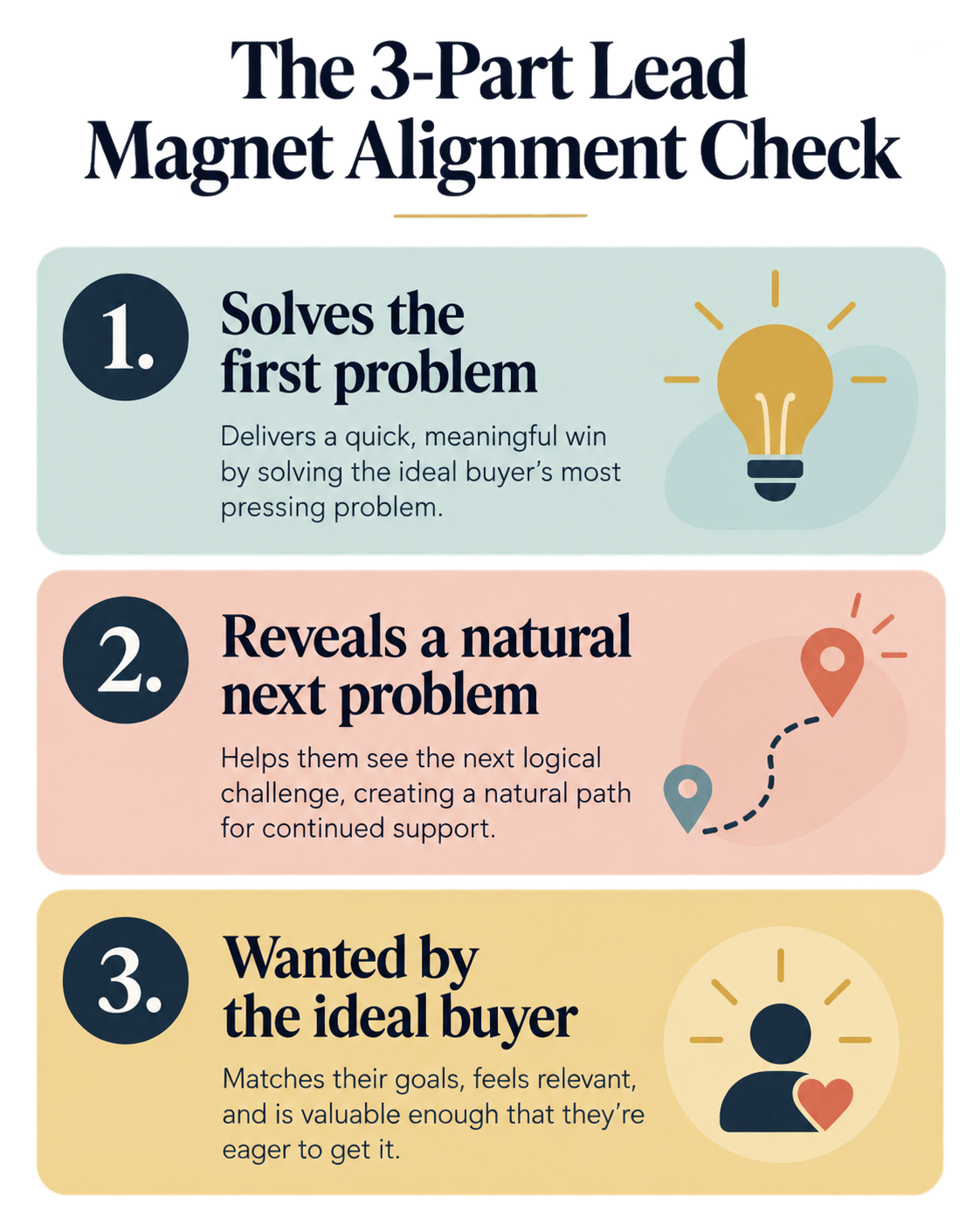
Use this three-part alignment check before creating anything:
| Question | What a strong answer sounds like |
| Does this solve the first problem my paid offer addresses? | “My course teaches the full garden system; this guide helps the person choose what to plant first.” |
| Does using it reveal a natural next problem? | “After choosing plants, the person needs help growing them successfully.” |
| Would my ideal buyer want this? | “A beginner preparing to plant a garden would use it now.” |
This does not mean you deliberately leave the first resource incomplete.
Solve the promised problem completely.
Then let the next real problem be the bridge.
A Popular Lead Magnet Can Still Lead Nowhere
One of my most popular Kids Activities Blog lead magnets was called Is Your Child Ready for Kindergarten?
It was a checklist of skills a child might need when entering kindergarten. Parents wanted it. The topic was specific. The format matched the question.
I never created the natural paid next step.
The checklist still did its job. It helped parents and grew the list. But the path stopped after delivery.
I could have followed it with a kindergarten-preparation activity pack, printable practice library, or short parent workshop. Any of those would have served the same parent with the next problem.
The lesson is not that every free resource must become a sales pitch.
The lesson is to decide what happens after someone says yes.
My Cleanest Lead Magnet-to-Offer Path
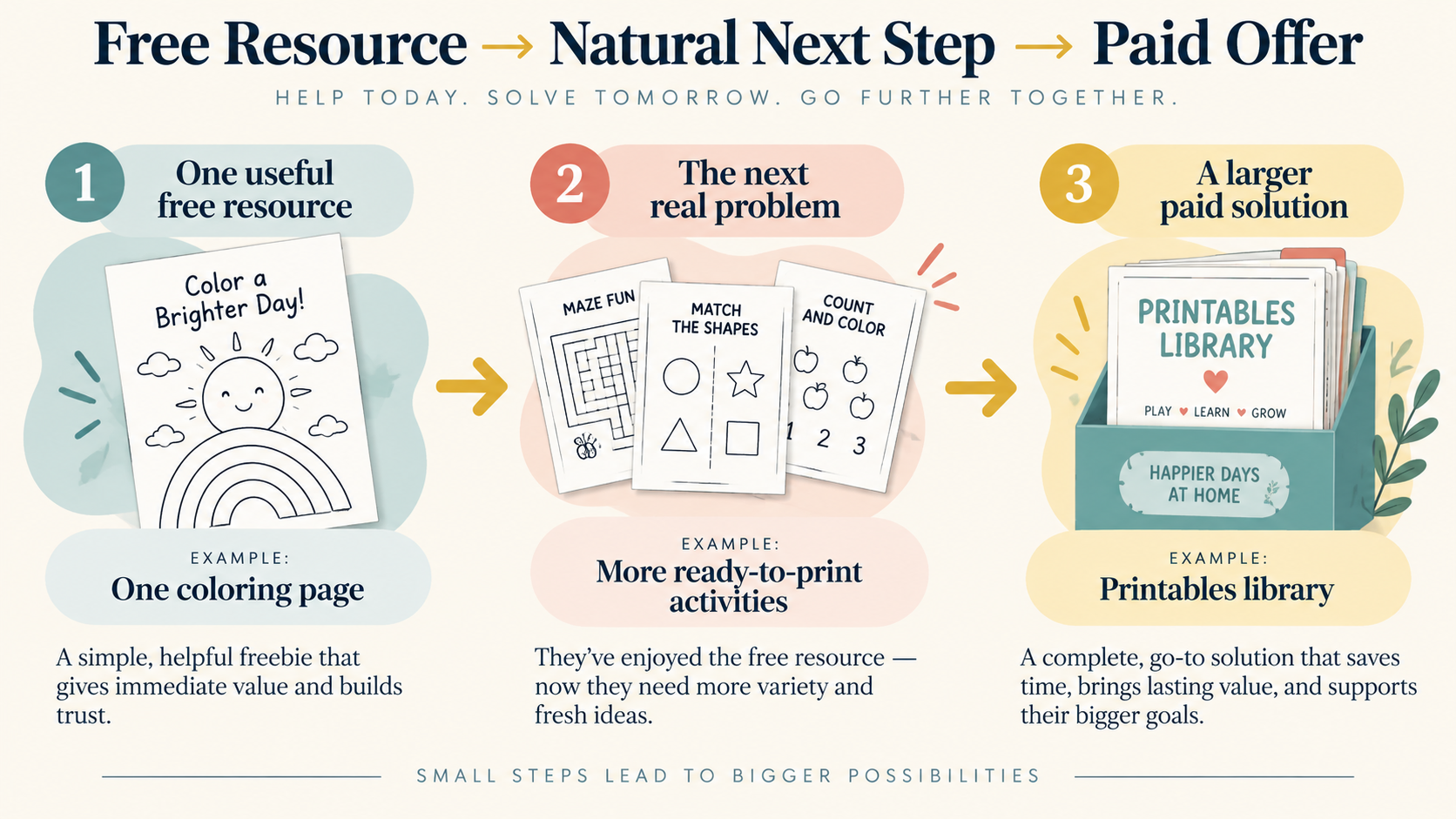
The free coloring pages on Kids Activities Blog created a much clearer path.
I used search behavior to see which coloring pages parents were looking for. Then I created pages that fit the site and answered that demand.
After downloading a free printable, the reader could join a paid printables library. The subscription included a larger collection of more elaborate printables that were not available on the public site.
The free page and paid library served the same person.
The difference was scope.
| Free lead magnet | Natural bridge | Paid offer |
| One coloring page | “Would more ready-to-print activities make this easier?” | Full printables-library subscription |
| Kindergarten readiness checklist | “Now choose the skills your child wants to practice.” | Kindergarten activity pack or parent workshop |
| Five email templates | “You have emails. Now connect them to a sales strategy.” | Email marketing course |
| Business clarity scorecard | “Your score shows the stage where you are stuck.” | Coaching program |
| Ten social captions | “You have one week. Now plan the full month.” | Complete social media planner |
| First chapter and reading guide | “Continue the story or go deeper into the topic.” | Full book, book funnel, or related course |
A bridge is not a trick.
It simply explains the next useful step.
How to Find Lead Magnet Ideas Without Guessing
I have created lead magnets from search phrases and repeated reader questions more times than I can count.
Coloring pages came from what people were already searching for. Parenting resources came from questions such as how to help a baby sleep through the night or what to feed a picky eater for breakfast.
One question can become one useful resource.
If the topic is still unclear, the Pagewheel digital product ideas guide can help you turn existing knowledge, files, and audience questions into a smaller first product.
Look in four places:
Search Behavior
Use the phrases people type into Google, Pinterest, YouTube, your site search, or another discovery platform.
A phrase such as “morning routine for a child with ADHD” is more useful than the broad topic “parenting.” It tells you what the person needs now.
Customer Questions
Review emails, comments, direct messages, sales calls, and support requests.
Repeated questions are invitations to make the answer easier to use.
Your Existing Product
Work backward from the paid result.
If your product is a meal-planning course, the lead magnet might be a one-week dinner planner. If you sell bookkeeping templates, the lead magnet might be a monthly expense checklist.
Something You Already Created
Check your files.
A worksheet, checklist, presentation, process document, swipe file, or client resource may already contain the answer. You can upload an existing PDF directly into Pagewheel and build the opt-in and delivery path around it.
Lead Magnet Examples by Format
The format should make the answer easier to use.
It should not exist because a marketing article told you quizzes are trendy.
| The person needs to… | Useful lead magnet format | Example |
| Complete a short process | Checklist | First-Podcast-Episode Checklist |
| Stop writing from scratch | Template | Client Welcome Email Template |
| Make a decision | Scorecard or assessment | Is Your Offer Ready to Launch? |
| Plan a short period | Calendar or planner | Seven-Day Family Dinner Plan |
| Calculate or compare | Worksheet or calculator | Simple Course Pricing Worksheet |
| See how something works | Short video or walkthrough | Set Up Your First Checkout Button |
| Try part of a larger resource | Sample or excerpt | First Chapter and Reading Guide |
| Use a ready-made asset | Printable or swipe file | Five Social Post Starters |
The easiest format is often the right one.
People want the problem solved. They do not care whether you suffered for six days creating the solution.
Keep the Lead Magnet Small Enough to Use
My decluttering booklet was not worse because it had more pages.
It was worse for that moment.
Someone surrounded by clutter wanted an immediate decision aid. The ugly checklist reduced decisions. The booklet added reading.
Use this quick test:
- Can the person understand the promise immediately?
- Can she use the resource without scheduling a free afternoon?
- Does it solve one problem instead of introducing twelve more?
- Is the next step obvious after she uses it?
A mini-course can be a good lead magnet when the topic needs demonstration. A one-page checklist can be better when the person needs speed.
Small is not a rule about page count.
Small means the resource is easy to start and finish.
How to Create a Lead Magnet in Pagewheel
There are three practical ways to get the resource into Pagewheel.
Upload Something You Already Made
This is the most overlooked option.
Look through your files for a PDF, checklist, worksheet, guide, or printable you created in the past. Upload it into Pagewheel and describe what it does.
Pagewheel can build the opt-in page, delivery page, and first delivery email around it.
Create the File With an AI Tool, Then Upload It
You can use ChatGPT, Gemini, or another tool to help draft a simple resource, review and edit the content, export it as a PDF, and upload it.
The AI can help make the first draft faster. You remain responsible for accuracy, usefulness, and the final voice.
Build It Page by Page in Pagewheel
Pagewheel’s product builder lets you choose page types, edit the text, change colors, duplicate pages, and organize the product inside the platform. It can also help with titles, subtitles, and page copy.
You can combine these methods. Upload something you already made, then add or replace pages inside Pagewheel.
Once the resource is there, Pagewheel connects the parts around it. Use the Pagewheel landing page templates guide to choose an opt-in-page structure that fits the resource and the person requesting it.
Opt-in page → thank-you and delivery page → first delivery email
That connection matters more than another pretty PDF sitting on your computer.
Build the Complete Lead Magnet Funnel
Creating the file is only one part of the job.
The person needs to find it, request it, receive it, use it, and understand the next step.
| Funnel stage | Its job | Keep it simple |
| Opt-in page | Explain the one promised result | One clear headline, short supporting copy, form, and CTA |
| Thank-you page | Confirm the request and explain delivery | Tell the subscriber where the resource is and what to expect |
| Delivery email | Deliver the promised resource | Put the link near the top and repeat the promised result |
| Follow-up | Help the subscriber use it | Send one useful tip or answer a common question |
| Bridge | Explain the next problem | Connect the quick win to the next logical step |
| Paid offer | Present the larger solution | Show who it is for, what it solves, and what it includes |
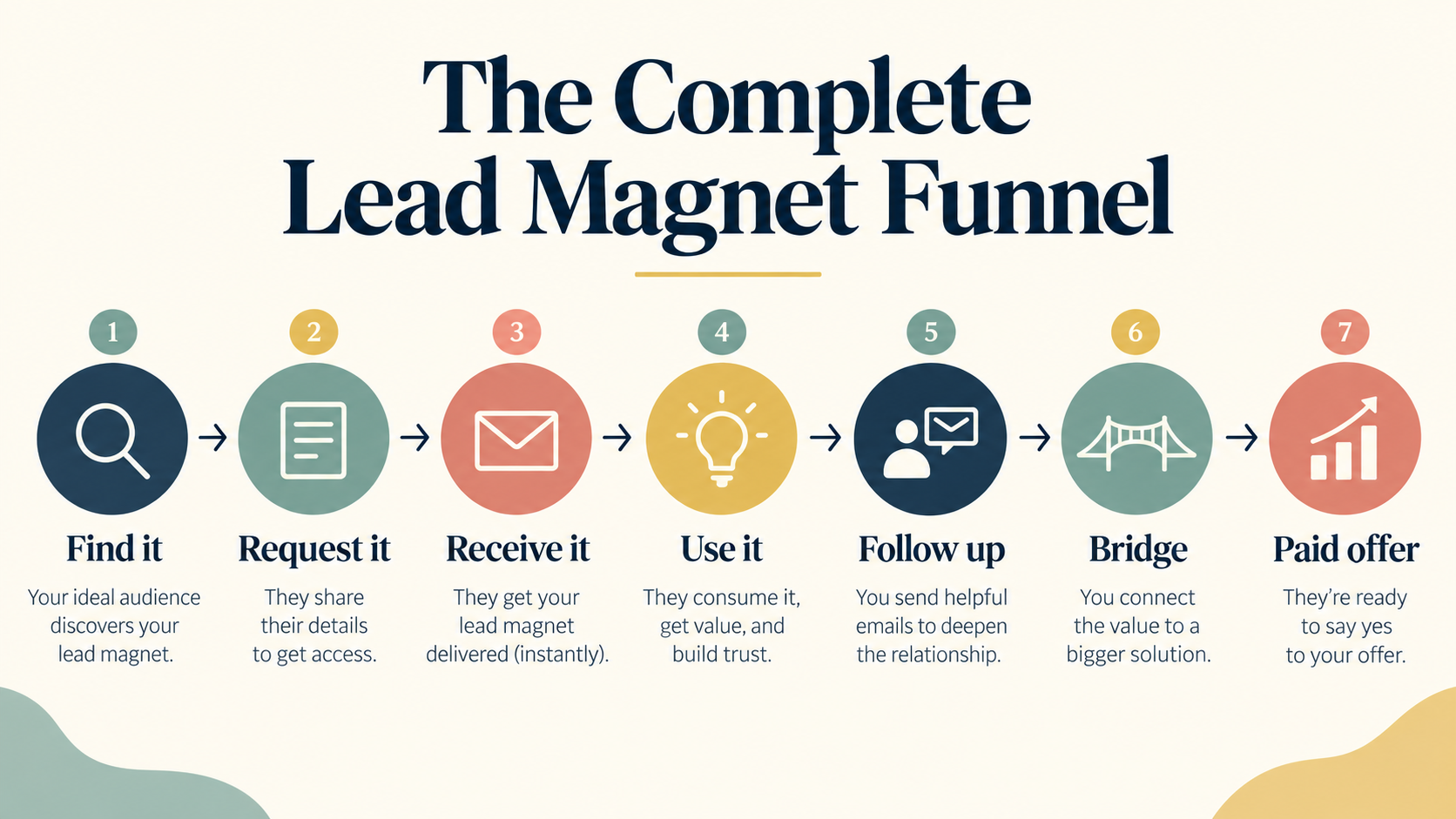
Pagewheel builds the product, opt-in page, delivery page, and first delivery email in one flow.
A longer marketing sequence requires an email platform or another connected workflow. Pagewheel’s documented process sends the initial delivery email; I would not assume it automatically sends a multi-day campaign unless that workflow has been configured.
Here is one simple follow-up plan:
| Timing | Email purpose | Example |
| Immediately | Deliver the resource | “Here is your kindergarten readiness checklist.” |
| The next day | Help the person use it | “Start with the three skills your child already enjoys.” |
| A few days later | Introduce the next problem | “Once you know what to practice, choosing activities is the next step.” |
| After that | Present the related offer | “This activity pack organizes the practice for you.” |
The timing is an example, not a magic formula.
Send useful emails at a pace that fits the audience and the promise made on the opt-in page.
Commercial email must follow the rules that apply to your location and audience. In the United States, the FTC requires accurate sender and subject information, a valid postal address, a clear opt-out method, and prompt handling of unsubscribe requests.
Where Digistore24 Fits
Digistore24 enters when the subscriber is ready to buy a related product.
It can handle the paid checkout. Its IPN system can notify a connected email or membership system about buyer details and payment events.
That is different from the initial free Pagewheel opt-in.
Digistore24 also supports a newsletter checkbox on its order form and can notify a connected email tool according to the configured consent setting.
So the clean division is:
| Pagewheel | Digistore24 |
| Create or upload the lead magnet | Process the later paid transaction |
| Build the opt-in page | Provide the checkout experience |
| Build the delivery page | Send payment events to connected systems through IPN |
| Send the first delivery email | Support newsletter consent settings on its order form |
That keeps the lead magnet focused on the quick win and the checkout focused on the purchase. The Pagewheel how to sell digital products guide walks through the complete paid-product path.
Attract the Audience You Actually Want
A general resource attracts a general audience.
A specific resource acts as a filter.
Compare these:
| Broad language | More specific language |
| Social Media Caption Templates | Client-Onboarding Captions for Freelance Social Media Managers |
| Meal Planner | Five Weeknight Dinners for Families Managing Food Allergies |
| Business Checklist | First-Course Launch Checklist for Coaches With an Existing Audience |
| Decluttering Guide | One-Page Kitchen Counter Reset Checklist |
Specificity does not insult or exclude people.
It helps the right person recognize herself.
Before publishing, check five things:
| Buyer-alignment check | Yes or no |
| The resource solves a problem my ideal customer already knows she has | |
| The title names a specific result or situation | |
| The format makes the answer easier to use | |
| The resource connects naturally to my paid offer or intended next action | |
| The opt-in page clearly explains what happens after signup |
If the paid offer does not exist yet, the next step can be a reply, survey, waitlist, article, or related resource.
A lead magnet can help you learn before it helps you sell.
Frequently Asked Questions About Lead Magnets
What is a lead magnet?
A lead magnet is a free resource offered in exchange for contact information, usually an email address. Examples include checklists, templates, guides, scorecards, calculators, printables, samples, and short videos.
What makes a lead magnet effective?
It solves one recognizable problem for a specific audience, is easy to use, arrives as promised, and creates a logical next step.
How long should a lead magnet be?
Long enough to solve the promised problem and no longer. A one-page checklist may beat a 15-page guide when the reader wants an immediate answer.
Does every lead magnet need a paid offer?
No. It may support awareness, audience research, event registration, or a future launch. Decide what you want the subscriber to do next, even if that next step is simply using the resource and replying with a question.
How do I deliver a lead magnet?
Use an opt-in page to explain the resource, a thank-you or delivery page to confirm the request, and an email containing the resource link. Pagewheel builds those pieces together and sends the first delivery email.
Can I create a lead magnet for free?
You may be able to create the file with tools you already have. You still need a reliable way to host the page, collect the email address, deliver the resource, manage consent, and send any later emails.
Start With the Smallest Useful Answer
My ugly decluttering checklist worked because it respected the moment.
The reader did not need my prettiest idea. She needed help deciding what to remove from the room.
Choose one question your audience already asks. Create the smallest useful answer. Put it into Pagewheel. Let Pagewheel build the opt-in, delivery page, and first email. Then decide what genuinely helps next.
Do not overthink it.
Solve one problem and launch it.