

A few years ago, Rachel Miller and I were creating low-ticket digital products for our blog.
Nothing complicated. A meal-plan PDF attached to a recipe post. A decluttering checklist inside a cleaning article. A “How to Get Stains Out” guide for a laundry article.
Each product needed a simple funnel. Take the payment. Deliver the file.
Simple, right?
No.
Each funnel took eight to ten hours to build. The software cost at least $300 a month. If something broke, I could not fix it myself.
Then the delivery system stopped working for an entire month. Customers paid and received nothing. We refunded every purchase.
I remember thinking, “This is so dumb.”
Not only do I hate the technical side of selling online. I am really, really bad at it.
That frustration is why Rachel and I co-founded Pagewheel.
If you want to know how to sell digital products, the answer is smaller than most guides make it sound. You need one useful product, one page, a way to collect payment, a way to deliver the product, and one first promotion.
That is the whole path.
One person → one urgent problem → one product → one page → payment → delivery → promotion
Pagewheel helps you build the product and the path around it. Digistore24 handles the commerce side.
You do not need to build an empire before lunch.
You need to publish one useful thing.
What You Can Start Without
The internet has turned selling a PDF into a 47-tab research project.
Your first product does not need a complicated business behind it. It needs a buyer with a problem and a clear way to get the solution.
| You can start without | What you need instead |
| A full website | One focused Pagewheel sales page |
| A giant product catalog | One small answer to one urgent problem |
| Professional design skills | AI-created structure and design that you can edit |
| A complicated payment stack | A connected Digistore24 order form |
| A separate delivery system | A thank-you page and delivery email connected to the purchase |
| A massive audience | One relevant person, one useful post, or potential affiliate distribution |
| A perfect launch plan | One live product that gives you real data |
You may not need an LLC merely to test a small, low-risk idea. That does not mean every legal requirement disappears. Business structure, registration, permits, and inco me-tax rules depend on where you live and what you sell. The Small Business Administration says a sole proprietorship can be useful for testing a low-risk idea, while the IRS explains that business structure affects tax filing.
Start small. Check the rules that apply to you. Then keep moving.
1. Start With One Person and One Urgent Problem
I would not start by researching “the digital product market.”
I would picture one real person.
What are they trying to do this week? Where are they stuck? What could you hand them that would make the next step easier?
That is how our blog products made sense. A reader looking at dinner recipes might need a meal plan. Someone reading about cleaning might want a decluttering checklist. A laundry reader might gladly pay for one organized stain-removal guide.
The content revealed the next problem.
You may already have the same clues in your inbox, comments, customer calls, classroom, coaching sessions, or group chats.
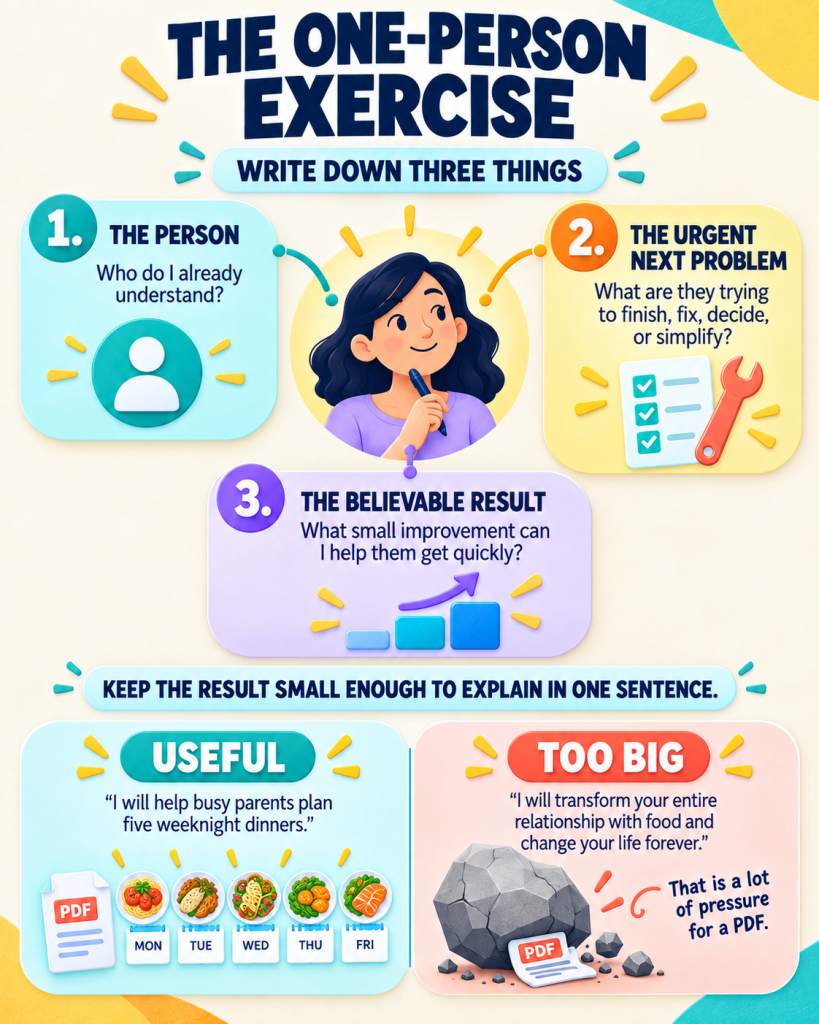
The One-Person Exercise
Write down three things:
- The person: Who do I already understand?
- The urgent next problem: What are they trying to finish, fix, decide, or simplify?
- The believable result: What small improvement can I help them get quickly?
Keep the result small enough to explain in one sentence.“I will help busy parents plan five weeknight dinners” is useful.“I will transform your entire relationship with food and change your life forever” is not a first digital product. It is a lot of pressure for a PDF.
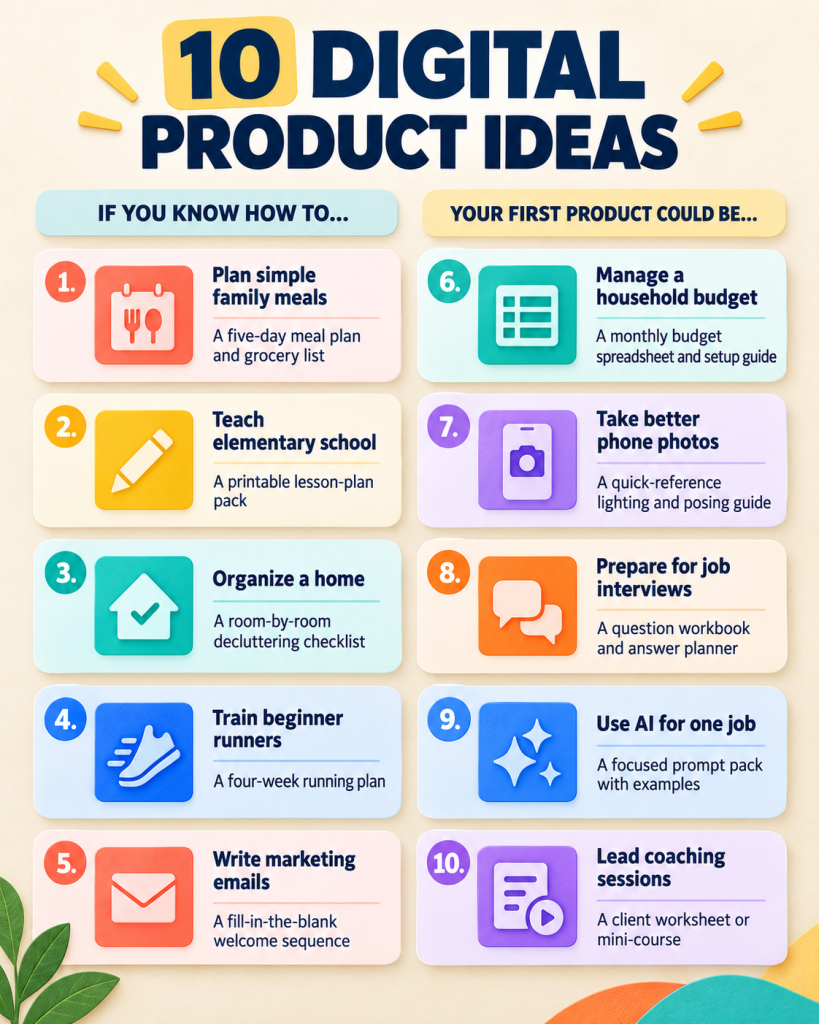
Ten Small Product Ideas
| If you know how to… | Your first product could be… |
| Plan simple family meals | A five-day meal plan and grocery list |
| Teach elementary school | A printable lesson-plan pack |
| Organize a home | A room-by-room decluttering checklist |
| Train beginner runners | A four-week running plan |
| Write marketing emails | A fill-in-the-blank welcome sequence |
| Manage a household budget | A monthly budget spreadsheet and setup guide |
| Take better phone photos | A quick-reference lighting and posing guide |
| Prepare for job interviews | A question workbook and answer planner |
| Use AI for one job | A focused prompt pack with examples |
| Lead coaching sessions | A client worksheet or mini-course |
Your first product can be a checklist, guide, workbook, template, resource list, prompt pack, or short course.
Pick the smallest format that solves the problem.
2. Create the Product in Pagewheel
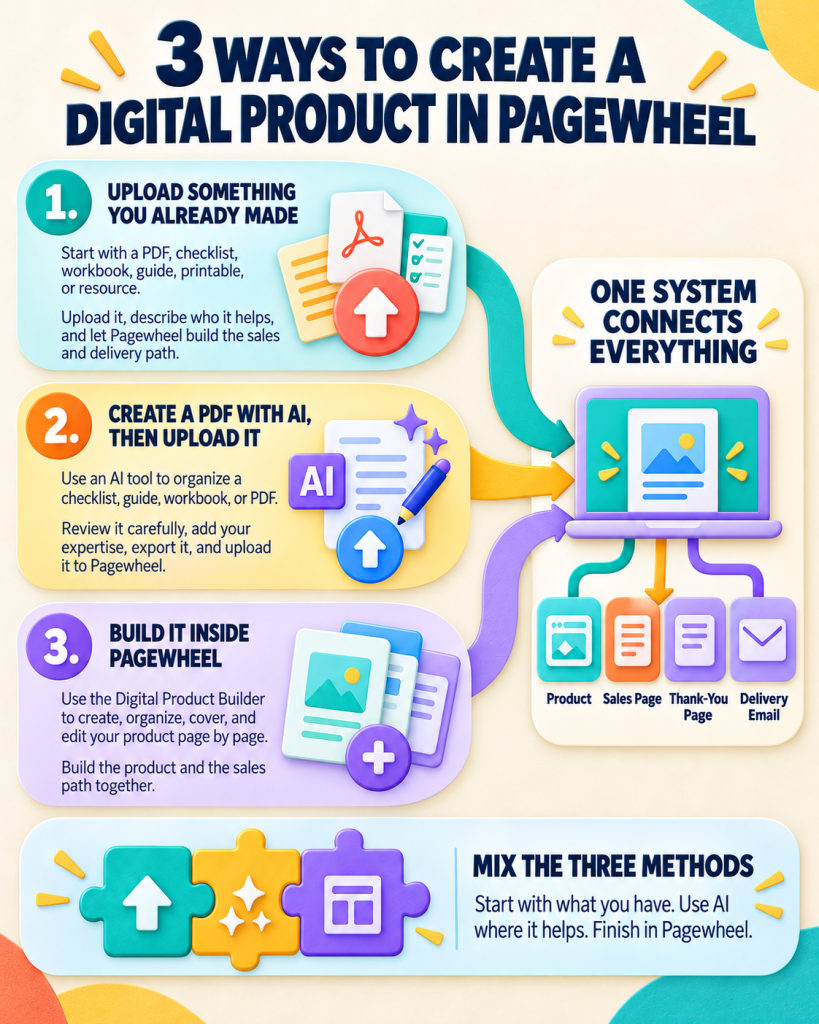
There are three easy ways to get a digital product into Pagewheel.
The method you choose is not nearly as important as getting the product into the same system that will sell and deliver it.
Once the product is in Pagewheel, the delivery technology is connected automatically. Pagewheel knows the product belongs on the thank-you page. It knows the delivery email needs a link to it. You do not have to build those pieces in separate tools and then hope they all talk to each other.
1. Upload Something You Already Made
This may be the most overlooked option.
Look through your files. You may already have a PDF, checklist, workbook, guide, printable, or resource you created for a client, class, blog post, presentation, or personal project.
That can be your product.
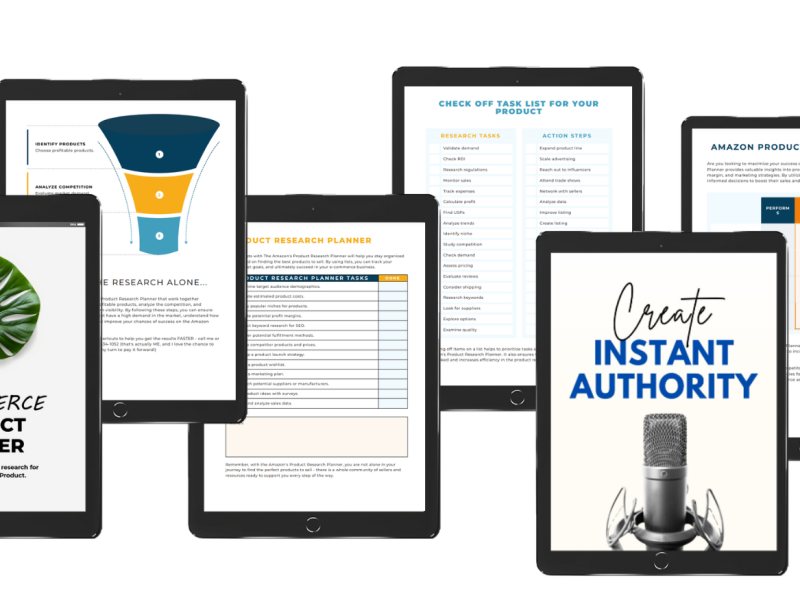
Upload the finished file to Pagewheel. Describe what it is and who it helps. Pagewheel can use that information to build the sales page and connect the delivery path around it.
You do not have to recreate something useful just because you made it somewhere else.
2. Create a PDF With an AI Tool, Then Upload It
I do this all the time.
You can use ChatGPT, Gemini, or another AI tool to help create the first version of a checklist, guide, workbook, or other PDF. Tell it what you want the product to help someone do. Give it your experience, examples, and instructions. Then review the content carefully, make it accurate, and export or download the finished PDF.
Upload that PDF to Pagewheel the same way you would upload something from your existing files.
AI can help organize the product. Your knowledge is what makes it worth buying.
3. Build the Product Inside Pagewheel
You can also use Pagewheel’s Digital Product Builder.
It helps you create the product page by page with AI. You can build the content, organize the sections, add a cover, and edit everything before publishing.
This works well when the idea is clear but the product does not exist yet. You are not moving between a writing tool, design tool, page builder, email system, and delivery platform. The product and the sales path are being built together.
You Can Mix the Three Methods
These are not separate lanes.
You can upload an older PDF and add new pages with Pagewheel’s Digital Product Builder. You can draft part of the content with AI, bring it into Pagewheel, and finish it there. You can start with something you already made and turn it into a more complete product.
Use whichever combination gets the useful product finished.
| Starting point | Best Pagewheel path |
| A finished PDF or other existing resource | Upload it and build the sales page around it |
| An idea that needs a quick first draft | Create the content with an AI tool, review it, export it as a PDF, and upload it |
| A product that does not exist yet | Build it page by page inside the Digital Product Builder |
| An older product that needs more | Upload it, then add or update pages inside Pagewheel |
The big benefit is not simply having three ways to create a product.
It is what happens next.
The product, sales page, thank-you page, delivery email, and customer access all belong to the same path. You can review it, publish it, and know where the customer is supposed to go after paying.
That is a lot better than discovering after the sale that the delivery link never arrived.
3. Build One Sales Page With One Job
You do not need a full website to sell one product.
You need one page that helps the right person decide.
A clear sales page answers five questions:
| The buyer’s question | What the page needs |
| Is this for me? | A headline naming the person and result |
| What do I get? | A short list of the files, lessons, or resources included |
| How will this help? | Specific benefits tied to the urgent problem |
| What does it look like? | A preview or product mockup |
| What do I do next? | One visible price and purchase button |
Pagewheel uses what it knows about the product to generate the sales page, thank-you page, delivery page or email, and promotional content around it.
There are more advanced sections available behind the scenes. That is not the point.
The point is that you do not have to decide which funnel widget belongs where before you can sell a checklist.
Read the page out loud. Delete anything you would never say. Add the detail only you know.
Then publish it.
If you are building a more specialized offer, the landing page templates and book funnel guides can help you choose a structure without turning one page into a full website project.
4. Connect Payment and Delivery
This step depends on whether you are giving the product away or selling it.
Pagewheel supports both. The setup is just a little different.
If the Product Is Free
A lead magnet, checklist, guide, or other free gift does not need a payment processor.
Inside Pagewheel, set the price to zero and create the opt-in page. Pagewheel connects the product to the thank-you or delivery page and adds the product link to the delivery email.
The customer enters their information. The next page gives them access. The email delivers the link again.
You do not need to connect Stripe, Digistore24, or another payment method because no payment is being collected.
That means a useful free product can be created, published, and delivered within minutes. You still need to test the page, submit the form yourself, open the email, and click the product link before sharing it.
Free does not mean the delivery can be broken.
If You Are Charging for the Product
A paid offer needs a checkout between the sales page and delivery.
When you set a price on the Pagewheel offer page, Pagewheel prompts you to connect either your own Stripe account through Stripe Connect or your Digistore24 account.
Both paths let the customer pay before Pagewheel sends them to the thank-you and delivery experience. The difference is who handles the transaction and what you want to happen around it.
Option 1: Connect Your Own Stripe Account
Use the Stripe path when you already have—or want to open—your own Stripe account and prefer a direct relationship with your payment processor.
Stripe processes the payment through that account. Pagewheel still provides the sales page and connected product-delivery path.
The payment methods available depend on your Stripe account, country, currency, and configuration. Stripe supports cards and a wide range of other payment-method categories, but not every method is available in every setup or location.
With this route, you remain the direct seller. You are responsible for the seller-side decisions surrounding taxes, refunds, disputes, compliance, customer communication, and business records. Stripe may provide tools for some of those jobs, but connecting an account does not make them disappear.
Option 2: Connect Digistore24
Use the Digistore24 path when you want its checkout and Merchant-of-Record infrastructure, or when affiliate distribution is part of the plan.
Digistore24 handles the transaction as the reseller or Merchant of Record. That includes payment processing and applicable transaction-side sales tax, VAT, or GST within its role. Its order forms can support options including cards, PayPal, Apple Pay, Google Pay, Klarna, SEPA direct debit, bank transfer, Instant Bank Payments, Sezzle, and others. The methods a buyer sees depend on the reseller, buyer country, payment plan, customer type, and order form.
Digistore24 also gives an approved offer a path into its affiliate marketplace.
The marketplace step is not automatic. The product and marketplace entry must meet Digistore24’s criteria and be approved before the listing is published.
Once it is live in the marketplace, affiliates can find the offer and choose whether it fits their audiences. You set an affiliate share. The affiliate uses a tracked promotional link. When that promotion produces an eligible sale, Digistore24 tracks the transaction and pays the affiliate the agreed share.
That can expand distribution beyond your own email list or social following. It does not guarantee that affiliates will choose the product or that sales will occur.
Stripe Connect or Digistore24?
| Question | Stripe Connect | Digistore24 |
| Whose payment account is used? | Your own Stripe account | Your Digistore24 account and its reseller checkout |
| Who is the direct seller for the transaction? | You | Digistore24 acts as reseller or Merchant of Record within its terms |
| Which buyer payment methods are available? | Depends on your Stripe account, country, currency, and Pagewheel connection | Depends on the Digistore24 reseller, buyer location, payment plan, and order form |
| Who handles transaction-side tax and payment operations? | You remain responsible, using Stripe or other tools as needed | Digistore24 handles applicable transaction-side sales tax, VAT, GST, payment processing, and related checkout operations within its role |
| Is affiliate distribution built in? | No Digistore24 marketplace connection | An approved marketplace entry can be found and promoted by Digistore24 affiliates |
| Does the product require platform approval? | Subject to Stripe’s account and product rules | The Digistore24 product and marketplace entry require approval before publication |
| Best fit | You want to use your own Stripe account and manage the seller relationship directly | You want Merchant-of-Record support, Digistore24 checkout options, and potential affiliate distribution |
Stripe supports many payment methods globally. Digistore24 also supports a broad set through its order forms. I would not make this decision by counting logos.
Make it based on the job you want the payment platform to do.
If you want a direct Stripe relationship and plan to manage the wider seller responsibilities yourself, connect Stripe.
If you want Digistore24 to handle the transaction within its Merchant-of-Record role and you want the option to apply for marketplace visibility, connect Digistore24.
Either way, test the entire path before publishing: buy or opt in, open the email, visit the thank-you page, and download the product.
A digital product is not live because the PDF is finished.
It is live when the right customer can complete the action and receive what you promised.
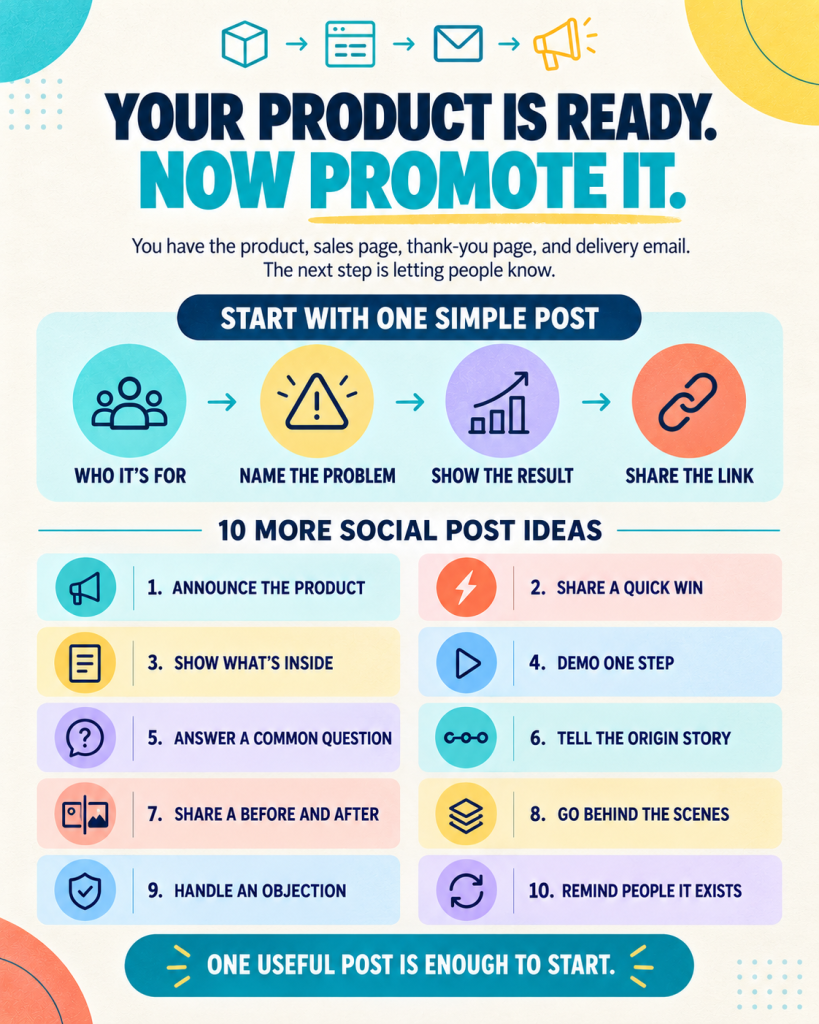
5. Publish and Make One First Promotion
Publishing creates the possibility of a sale.
Promotion helps the right person find the product.
You do not need a 30-day launch calendar for Product Number One. Start with the same person who inspired the idea.
Send the link. Ask them to look at it. If it solves the problem, ask what nearly stopped them from buying or using it.
Then make one honest post:
I made a simple [product type] for [person] who wants to [result]. It includes [most useful piece].
Here is the link…
Pagewheel can create social copy, email copy, bridge pages, and other promotion assets. Use those as a draft. Add your voice and the reason you made the product.
Digistore24 adds another potential distribution path through its affiliate marketplace. You can prepare the offer for marketplace review and choose an affiliate rate. Affiliates decide which approved products fit their audiences.
That is potential distribution—not automatic traffic and definitely not automatic sales.
A strong affiliate offer still needs a useful product, a clear page, reliable delivery, and enough margin to make promotion worthwhile.
You can learn more about the underlying model in the affiliate marketing guide.
6. What One $27 Product Could Produce
Revenue math is simple. Results are not.
| Monthly sales | Gross monthly revenue | Gross annual revenue |
| 10 | $270 | $3,240 |
| 50 | $1,350 | $16,200 |
| 200 | $5,400 | $64,800 |
Those are multiplication examples, not expected results.
Gross revenue is not profit. Subtract transaction fees, Pagewheel costs, refunds, support, advertising, contractors, income taxes, and any other business expense.
Results vary. These are mathematical scenarios, not income guarantees. Results depend on product quality, demand, promotion, individual effort, and time. Some people make a first sale in a day or two. Others may need 30–60 days of consistent effort.
A $27 product with ten sales teaches you more than a $27 product sitting unpublished in your laptop.
You learn which headline gets attention. Which questions buyers ask. Where delivery becomes confusing. Whether the price fits. What buyers want next.
That information is where the business begins.
7. Improve the Product After Real People See It
The first version gives you a starting point.
Now use the data.
If people visit but do not buy, clarify the promise, preview, or price. If buyers ask the same question, add the answer to the product or delivery page. If they finish the product and immediately need a related next step, that may become Product Number Two.
Pagewheel makes those changes possible without rebuilding the entire funnel. Edit the product. Update the page. Create another promotion. Publish the new version.
After buyers show you what they need, you can add:
- A related order bump
- A one-click upsell through Digistore24
- A second product for the same person
- An email follow-up for buyers
- Additional affiliates or promotion channels
This is the part most planning skips.The best second product often comes from the first product’s customers.
A Practical Growth Sequence
| Stage | Focus |
| First launch | One product, one page, one payment path, one promotion |
| First useful data | Improve the promise, page, product, or delivery |
| Repeated buyer question | Create the next small product or bonus |
| Proven complementary need | Add an order bump or upsell |
| Repeatable sales | Expand promotion and affiliate relationships |
Rinse and repeat.
Not because every product becomes a giant business. Most will not.
Because small launches teach you which ideas deserve more of your time.
Publish the Smallest Useful Version
In order to make money, you have to launch.
The ideas in your head are not making you money. They are just ideas.
Open Pagewheel. Describe one person and one urgent problem. Create or upload the smallest useful answer. Edit what the AI builds. Connect Digistore24. Publish the page. Send the first link.
That is your baby step.
You can improve a product that exists.