


I used to write about potty training.
I’m serious. I’d publish an article about potty training and the sidebar would fill up with ads for actual toilets. That’s how literal early SEO was. Google saw “potty” and thought plumbing.
But here’s the thing: those goofy articles about toddler milestones eventually led to real revenue. Not from ads. From products I could create once and sell forever.
Ebooks were the first thing I ever sold online. They’re still one of the fastest ways to turn what you know into income.
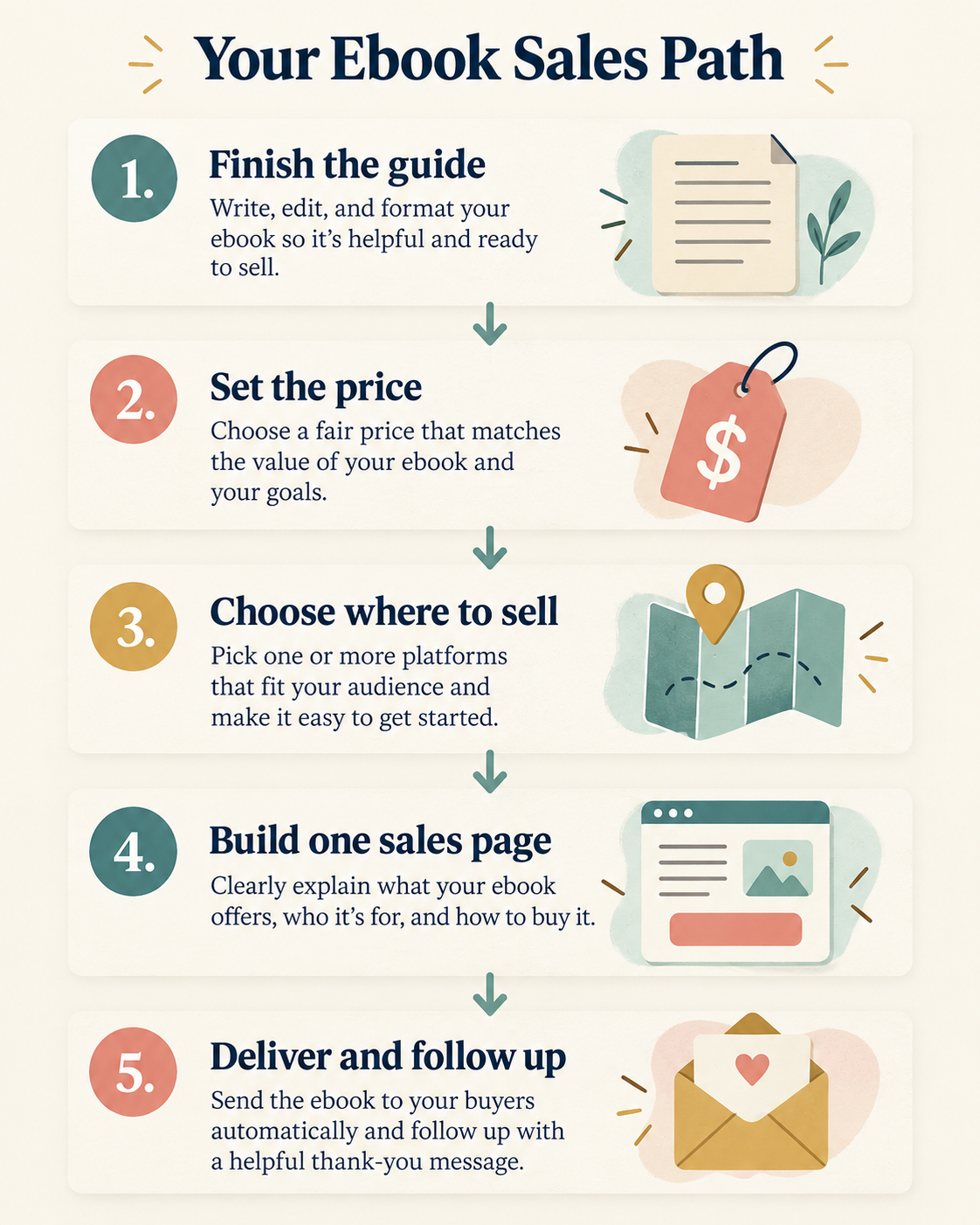
Prepare your file as a PDF for direct sales or an EPUB for Amazon. Choose a price that matches the problem it solves, pick a sales route, build one clear sales page, and market it to the audience you already have. A focused first setup can be built quickly, then improved with real buyer feedback.
Step 1: Get Your Ebook Ready
Your ebook doesn’t need to be 300 pages. A focused 30- to 80-page guide can be more useful than a much longer reference nobody finishes.
A 30-page guide that changes someone’s business beats a 200-page reference nobody finishes. Solve one problem completely. That’s the whole job.
Format matters. PDF for direct sales, since it preserves your layout and works everywhere. EPUB for Amazon, Apple Books, Kobo, and Google Play, since it reflows to fit any screen. Selling direct? PDF is all you need.
Include a title page, a table of contents, the actual content, an about-the-author page, and a call to action at the end pointing to your next offer. That last one matters more than people think. Your ebook isn’t the end of the journey. It’s the start of a book funnel. For the full process of getting from blank page to finished file, I’d point you to a dedicated guide on creating an ebook step by step.
Step 2: Price It Like a Product, Not a Commodity
Most new authors underprice their ebooks because Amazon trained everyone to think $2.99 is normal.
Amazon’s royalty structure influences how many authors price there. When you sell direct, you can price around the value and specificity of your own offer instead.
When you sell direct, you set the price. Here’s roughly how it breaks down:
| Price Range | Best For |
|---|---|
| $7-$19 | Quick impulse buys: short guides, checklists-turned-ebooks, recipe collections |
| $19-$47 | The sweet spot for niche nonfiction: how-to guides, playbooks, professional references |
| $47-$97+ | Specialist content solving expensive problems: business frameworks, technical guides |
A $37 ebook doesn’t sell five times fewer copies than a $7 one. Price signals quality. People skip cheap ebooks because they don’t trust the content will be worth their time.
Step 3: Pick Where to Sell
You have three routes, and they’re not mutually exclusive.
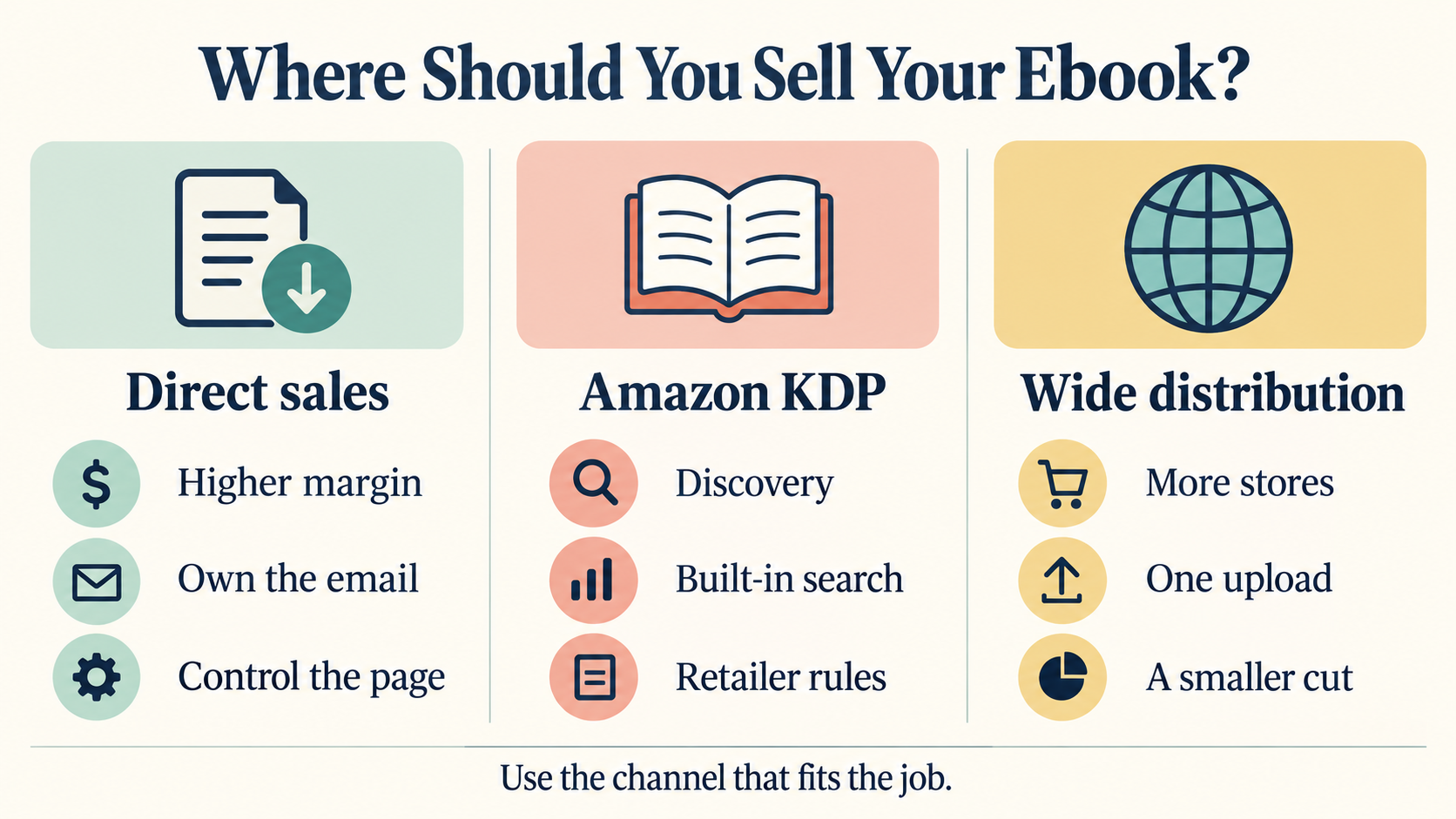
Direct sales, the highest margin. You keep everything except payment processing. You own the customer email. You control the price, the page, and the relationship. Pagewheel handles the sales page, checkout, and delivery. Describe your ebook, it builds the page. Done.
Amazon KDP, the biggest audience. Hundreds of millions of shoppers and built-in search traffic. But Amazon takes a big cut and keeps your customer’s email. Good for discovery. Not great for building a business you actually own.
Aggregators like Draft2Digital. One upload, distribution to Apple Books, Kobo, Barnes & Noble, and more, for a smaller cut than doing it retailer by retailer yourself.
My honest take: sell direct as your main channel, use Amazon for discovery. If you’re weighing your options more broadly, I’d also look at the wider question of the best platform to sell digital products before you commit to one path.
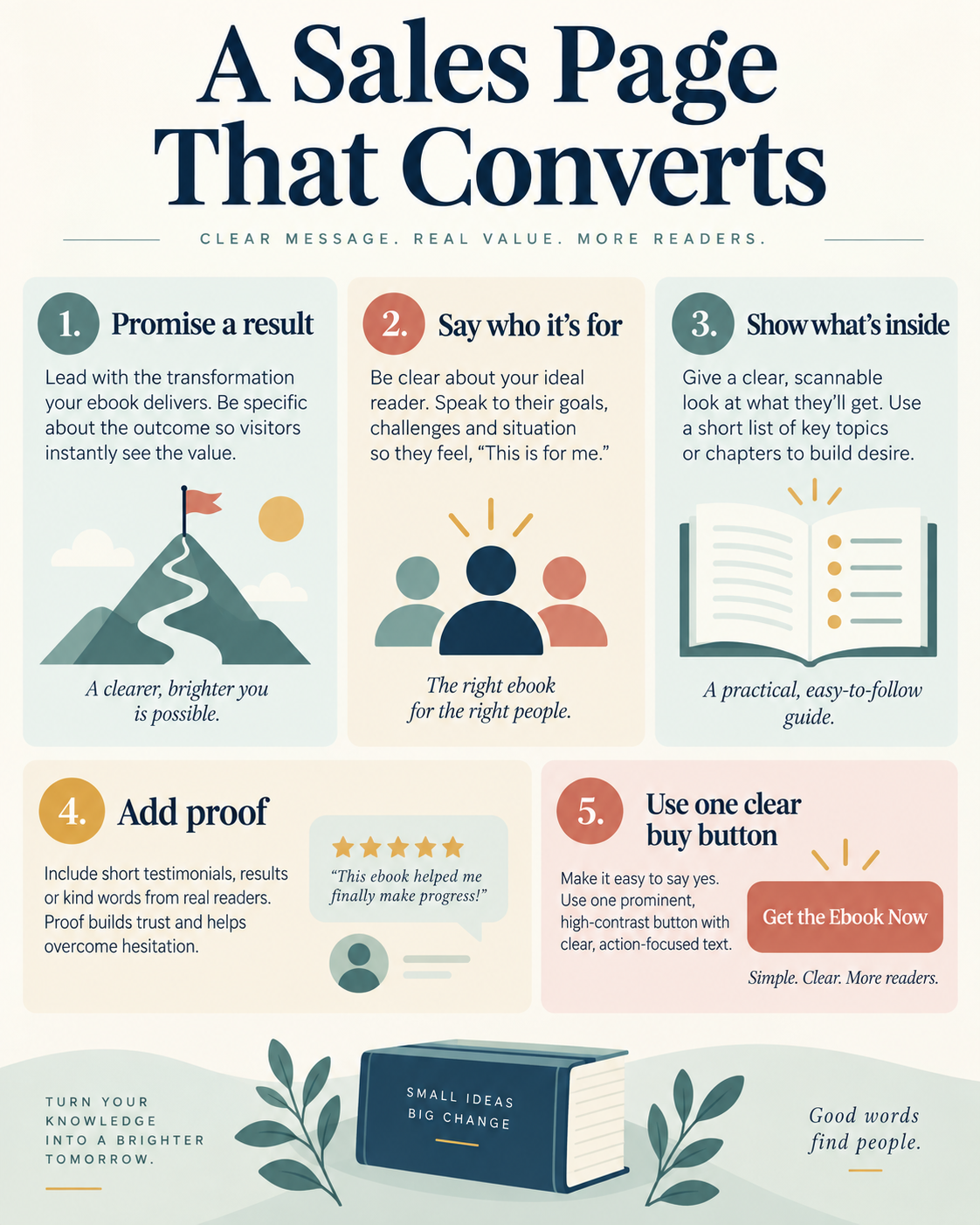
Step 4: Build a Sales Page That Converts
Your sales page needs five things.
- A headline that promises a result. “30 High-Protein Meals Under $3” beats “My Recipe Ebook.”
- Who it’s for. Be specific. “For coaches who want to fill their calendar without cold DMs.”
- What’s inside. Bullet points. Scannable. Don’t make people guess.
- Proof. Reviews, download numbers, testimonials. Even “Updated for 2026” signals quality.
- One buy button. One price. No confusion.
Pagewheel builds this whole page from a description of your ebook. I’ve set up landing pages this way in about ten minutes that looked better than pages I once spent days building.
Step 5: Market It, Before, During, and After Launch
Before launch (2-4 weeks out). Build anticipation. Share snippets. Offer the first chapter as a free lead magnet. Collect emails from a landing page. Email is still the highest-converting channel you have.
Launch week. Show up where your readers already scroll. Short-form video works. Pinterest works, especially for how-to and niche content. Email your list with a launch discount for the first week. The goal is early sales and social proof.
After launch. This is where most people stop, which is exactly why they think ebooks don’t sell. Keep creating content connected to your ebook’s topic. Every blog post, every pin, every video is a doorway back to your sales page.
One article can drive sales for years. That’s the compounding evergreen model I’ve built my whole business on. It connects directly to the bigger picture of sales funnel optimization, if you want to see how all these pieces fit together.
Step 6: Add an Upsell and a Bundle
A single ebook is a great start. A product ecosystem is a business.
Order bump: “Want to add the companion workbook for $12?” One click, and a meaningful share of buyers say yes. Ebooks aren’t the only kind of digital downloads worth bundling in here.
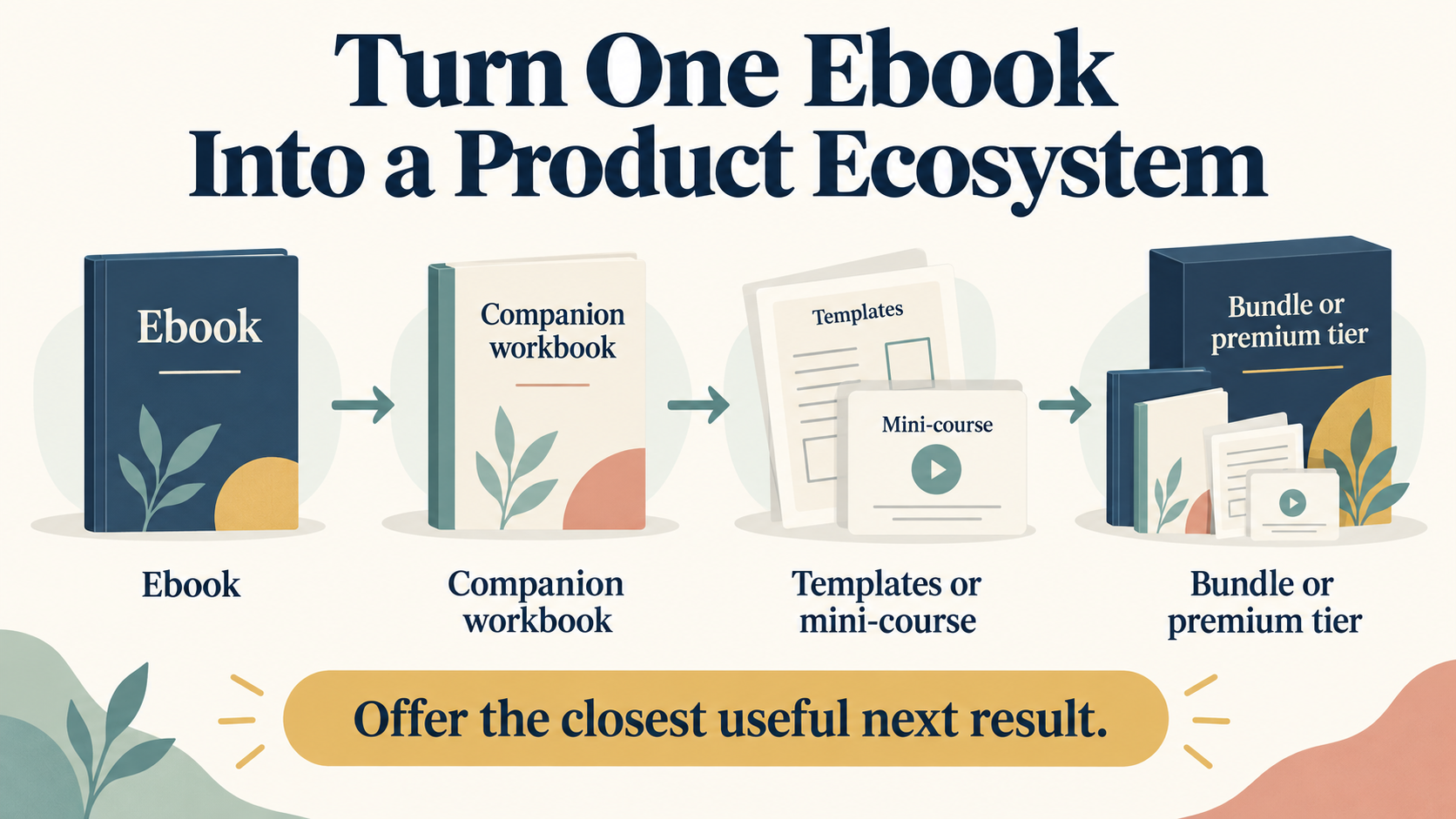
Bundle: Package your ebook with templates, a mini-course, or a resource library. Charge two to three times the ebook price for the bundle. The perceived value jumps.
Tiered pricing: Basic (ebook only), Plus (ebook plus templates), Premium (ebook plus templates plus a video walkthrough). Different buyers want different levels of hand-holding.
None of this is a trick. It’s how a $27 ebook quietly becomes a much bigger average order, without a single extra customer.
FAQ
How much does it cost to start selling ebooks? Close to nothing. Pagewheel handles your sales page and checkout. Payment processing through Stripe or PayPal runs a small percentage per transaction. There’s no upfront cost, no inventory, and no monthly fee you can’t cover with a couple of sales.
What format should my ebook be in? PDF for direct sales, since it preserves your exact layout on every device. EPUB for Amazon KDP, Apple Books, Kobo, and other retailers, since it reflows to fit any screen. If you’re only selling direct from your own page, PDF is all you need.
Can I sell ebooks without a website? Yes. Pagewheel gives you a hosted product page with built-in checkout. You don’t need a full website to start. You need one page, one product, one buy button.
Should I sell on Amazon or my own site? Both, but start direct. Direct sales keep far more of your revenue than Amazon does. You own the customer email and control the price. Use Amazon as a secondary channel for discovery, especially in a competitive niche where Amazon search traffic actually matters.
How long should my ebook be? The best-selling ebooks in the $9-$47 range run roughly 5,000 to 20,000 words, or about 30-80 pages formatted. Readers want a practical, concise guide, not a textbook. A focused 40-page guide that delivers real value beats a padded 200-page one every time.
You already know something worth selling. Package it, price it, and put it where people can find it.
The first sale is proof. Everything after that compounds.