Menu

How to Cancel Your Pagewheel Subscription

Craig Taylor Craig Taylor
Recurring coral markers on a calendar above a removed marker and an open clasp.

If you’d like to cancel your Pagewheel subscription, the process is quick and easy.

You can easily cancel your Pagewheel subscription in a few clicks.

Canceling Your Pagewheel Membership

Starting from the dashboard, click on your avatar.
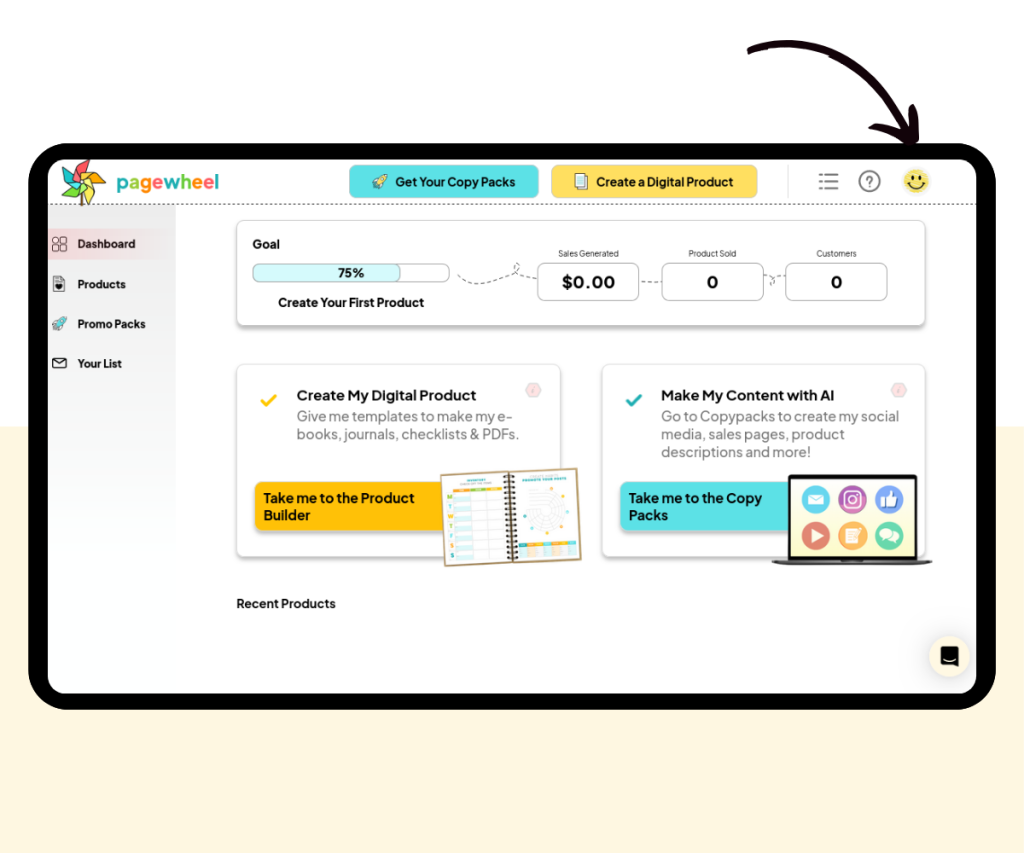
A screenshot showing where to click to open account settings.
Click on your avatar to start the process of canceling your Pagewheel membership.

Now click on the “Subscription & Plan Details” section.
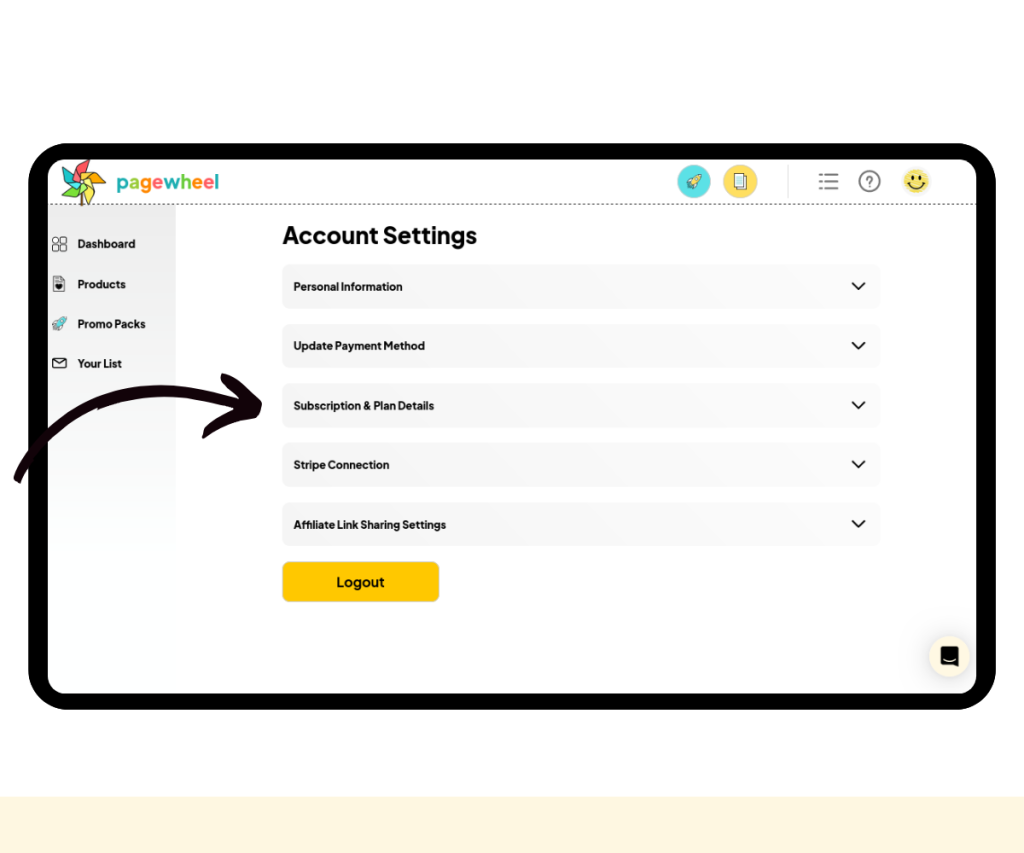
A screenshot showing where to click to open the “Subscription & Plan Details” section.
Click the “Subscription & Plan Details” section

Click on the “Please Cancel My Membership” button just below the various plan options.
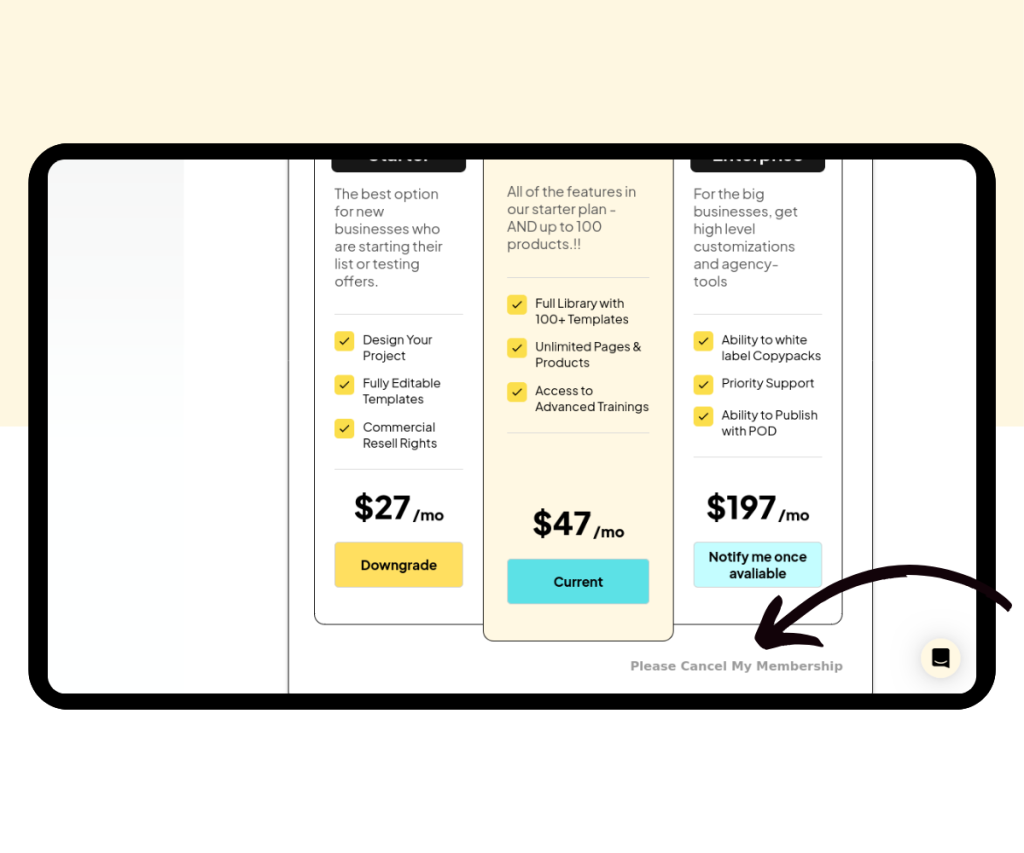
A screenshot showing where to click to cancel a Pagewheel subscription.
Click the “Please Cancel My Membership” button

Now click the “Please Cancel My Membership” button.
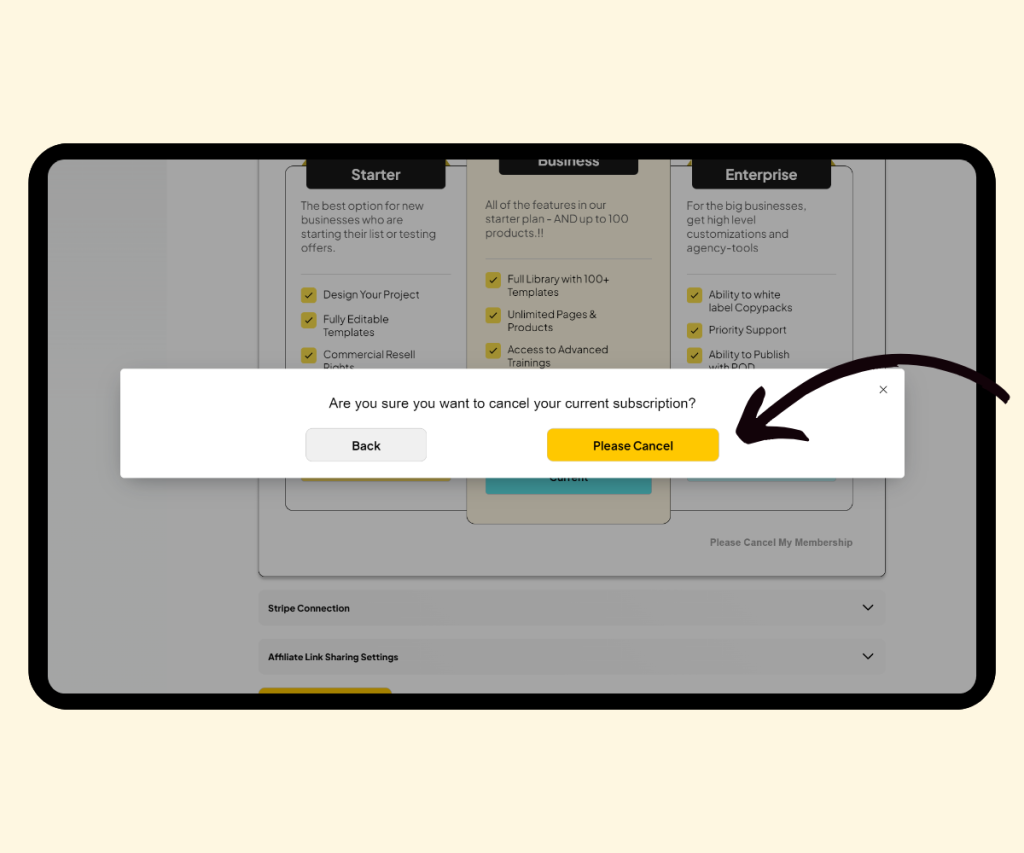
Your membership is now canceled, but you can reactivate it at any time.


More Pagewheel Help Topics